
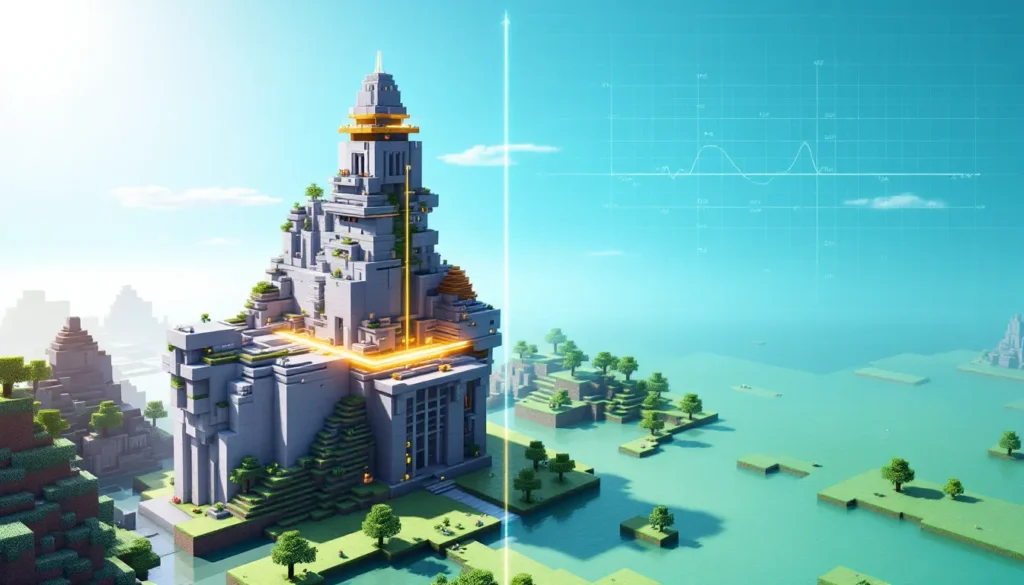
Every Minecraft player has hit that invisible ceiling, literally. Whether you’re building a skyscraper, a floating castle, or anything ambitious vertically, the game’s height limit eventually stops you in your tracks. But here’s the thing: most players don’t actually know what that limit is, why it exists, or whether it’s permanent. The Minecraft build limit has been a core constraint since the game’s early days, but it’s evolved significantly through updates and differs wildly between Java and Bedrock editions. Understanding these boundaries isn’t just for completionists, it changes how you approach world planning, optimize your builds, and unlock creative possibilities through mods or commands. Whether you’re a survival purist or a creative architect, knowing the exact Minecraft height limit and how to work within (or around) it is essential knowledge in 2026.
Key Takeaways
- The Minecraft build limit is Y=320 in both Java and Bedrock editions, providing 384 total Y-levels when including the expanded downward range to Y=-64 added in the Caves & Cliffs update (1.18).
- Performance and rendering constraints, including chunk-based systems and lighting calculations, are the primary reasons why Minecraft maintains defined height boundaries rather than allowing infinite vertical expansion.
- Smart builders approach the build limit strategically by planning foundations at mid-height levels (like Y=100), using tapered designs that narrow as they climb, and incorporating accessible pathways every 30-50 blocks to avoid tedious traversal.
- Mods like ‘Tall Worlds’ and datapacks can extend or simulate greater building height on Java Edition servers, while Creative Mode and command blocks enable workarounds for building beyond the standard limit.
- Vertical stacking on multiple height levels simultaneously maximizes space efficiency on multiplayer servers, allowing players to place farms, bases, storage systems, and other structures within the same horizontal footprint.
- Understanding your world’s sea level (Y=62) as a reference point and constantly checking your Y-coordinate using the F3 debug screen are essential practices for avoiding miscalculations when constructing tall structures.
What Is the Minecraft Build Limit?
The Minecraft build limit is the maximum height at which you can place or remove blocks in the game world. It’s a hard boundary, go beyond it, and blocks simply won’t interact with your cursor. This limit has always existed as a technical necessity, but Notch and the development team expanded it significantly over the years to give players more vertical building space.
In modern Minecraft (2024–2026), the build limit varies by edition. Java Edition currently has a build range from Y-level 64 (bedrock) up to Y-level 320, giving players 256 total blocks of buildable height above sea level. Bedrock Edition follows a different system with varying limits depending on the world type. The Y-level system is crucial to understand: Y=0 is the lowest point where bedrock generates, and higher Y values mean higher altitude. This coordinate system is visible in the debug screen (F3 on Java, toggled on Bedrock) and is essential for any serious builder planning vertical structures.
Height Limits Across Different Game Versions
Java Edition Height Boundaries
Java Edition has undergone significant changes to its height system, especially after the Caves & Cliffs update series (1.17–1.18). Before 1.18, the maximum build height was Y=256, with the world bottom at Y=0. The Caves & Cliffs Part II update (1.18, released November 2021) completely restructured the world. It expanded the world downward to Y=-64 and upward to Y=320, effectively doubling the available vertical space. This means builders now have access to 384 total Y-levels, though the traditional “surface” is still around Y=62.
For practical building purposes, most structures exist between Y=0 and Y=320. The bedrock layer sits at the bottom (Y=-64 to Y=0), and the top of the world (Y=320+) is completely inaccessible. Servers running Java Edition 1.18+ all share this standard, making it universal across multiplayer worlds, SMP communities, and modded servers using Java.
Bedrock Edition Height Boundaries
Bedrock Edition’s height system is more complex because it varies by world type and update cycle. In the latest Bedrock Edition versions (2025–2026), the maximum build height is Y=320, matching Java Edition’s upper limit. But, the minimum was Y=0 for many years. Bedrock worlds created before certain update thresholds may still use the old Y=0 to Y=256 system, which is a crucial detail for players upgrading older worlds.
Console versions (Xbox, PlayStation, Nintendo Switch) running Bedrock Edition also respect the Y=320 limit, though some legacy console worlds may still be capped at Y=256. Mobile versions of Bedrock (iOS, Android via Game Pass) follow the same limits. The confusion around Bedrock limits stems from Microsoft’s phased rollout of the expanded height system, so always verify your specific world’s build limits using the debug/info screen.
How the Build Limit Has Changed Over Time
Minecraft’s build limit wasn’t always this generous. In the game’s infancy (Alpha and Beta releases, 2009–2011), the height limit was a mere Y=128, making tall structures nearly impossible. When Minecraft officially released in 2011, Notch set the limit at Y=256, which remained unchanged for nearly a decade.
This Y=256 ceiling felt generous at the time, but as creative building became more sophisticated, and as players demanded grander structures, the community repeatedly asked for expansion. Modders stepped in with mods that extended the limit, but a vanilla solution remained elusive for years. The Nether and End dimensions had their own constraints, further limiting vertical exploration.
The real game-changer came with the Caves & Cliffs update announcements in 2020. Developers revealed plans to expand the world both downward and upward, addressing not just the build limit but the entire world generation algorithm. The rollout happened in two parts: Caves & Cliffs Part I (1.17, June 2021) added new biomes and blocks, while Part II (1.18, November 2021) implemented the new height system. This doubled the available vertical space from 256 to 384 Y-levels total, a monumental shift that changed how players approached large-scale building projects.
Since 1.18, the Y=320 limit has remained stable, with no further expansions announced. Occasional speculation about raising it further circulates in the community, but Mojang has balanced performance concerns with player demand, and the current system appears to be the long-term standard for both Java and Bedrock editions.
Why Minecraft Has Build Limits
Performance and Rendering Constraints
The most obvious reason for Minecraft’s build limits is performance. The game uses a chunk-based rendering system where each chunk is a 16×16×16-block area. Rendering and storing data for infinite vertical space would exponentially increase memory usage and processing power, especially when players load chunks from disk or stream them on multiplayer servers.
When you look at the horizon, Minecraft must calculate which blocks are visible, determine their lighting, apply textures, and send all that data to your GPU. Expanding the vertical limit further would mean more blocks to render per column, slower chunk loading times, and increased lag, particularly noticeable on lower-end hardware like mobile devices or older consoles. The Y=320 limit represents a balance between creative freedom and reasonable performance across the spectrum of player hardware, from high-end gaming PCs down to mobile phones and Nintendo Switch consoles.
Technical Architecture Limitations
Beyond performance, Minecraft’s technical architecture itself imposes limits. The game uses a 32-bit integer system for certain world calculations, which constrains how large the world can be in all dimensions. While the current limits don’t push against these hard boundaries, expanding further would require deeper rewrites of the engine’s core systems.
Lighting calculations compound this challenge. Minecraft computes light levels for every block based on sky light and block light sources. Taller structures mean more vertical light calculations per column, which is computationally expensive. The current Y=320 ceiling allows for sophisticated lighting without severe performance degradation.
Also, the world border (which exists at ±29,999,984 blocks horizontally) creates a defined play space. Expanding the vertical limit without addressing horizontal generation would feel asymmetrical. Mojang’s design philosophy favors cohesive, balanced updates rather than piecemeal expansions, so the height limit exists within a broader architectural vision of what Minecraft’s world should be.
Tips for Building Near the Limit
Optimizing Your Build Height
If you’re planning a structure that approaches Y=320, intentional design is crucial. First, understand your world’s sea level: in most Minecraft worlds, sea level sits at Y=62. This is your reference point. A tall tower that reaches from sea level to the build limit spans about 258 blocks of height, impressive visually, but manageable structurally.
Start by planning your structure’s base height. Rather than building from Y=0, many builders place their foundation at Y=100 or higher to save space for underground areas, storage, and aesthetics. This gives you room to build upward without immediately hitting the limit. Use scaffolding or temporary blocks to mark your target height as you build: the F3 debug screen (Java) or coordinates display (Bedrock) keeps you informed of your current Y-position.
Consider tapered designs: structures that get narrower as they climb feel more natural and are easier to build. A massive square base can smoothly transition to a smaller tower top, distributing the visual weight and making the extreme height feel less jarring. Terracing and stepped silhouettes break up monotonous vertical lines and add detail without requiring more height.
Avoiding Common Pitfalls When Building High
One frequent mistake is building structures that are visually heavy at the top. When your build extends far above render distance or the surrounding terrain, a top-heavy design can look unstable and disconnected from the world below. Use tapered shapes, hollow sections, and open frameworks to keep tall builds visually light.
Another pitfall is ignoring the F3 debug screen. Experienced builders constantly check their Y-coordinate to avoid miscalculations. A single miscounting error during tall construction wastes blocks and time. On Bedrock, enable coordinates in world settings to get real-time position feedback.
Don’t forget about practical access. If you’re building a skyscraper to Y=300, plan elevator shafts, stairwells, or platform breaks every 30–50 blocks. Jumping or climbing for five minutes to reach the top gets tedious fast. Use water elevators, redstone-powered lifts, or even creative teleports to make vertical traversal enjoyable. The Game8 community has shared countless elevator designs that efficiently handle extreme heights.
Finally, consider your render distance and lighting. Tall structures cast massive shadows and may look dark from a distance if you haven’t placed light sources strategically. Use glowstone, lanterns, or intentional openings to ensure your build remains visible and attractive from below.
World Border and Beyond
Horizontal Boundary Constraints
While this article focuses on vertical limits, the horizontal boundary, the world border, deserves mention because it shapes how you approach large-scale projects. The world border exists at ±29,999,984 blocks from the origin (0, 0), creating a square play area roughly 60 million blocks on each side. This is a separate constraint from the build limit: you can hit the world border long before running out of vertical space.
The world border is a hard wall: if you walk or travel past it, you’ll take damage and be pushed back. Builders sometimes deliberately approach or build near the border for unique challenges or impressive scale demonstrations. But, for most players, the border is an abstract boundary rarely encountered in survival mode.
On multiplayer servers, admins can resize the world border to create custom play areas. SMP communities often set smaller borders (5,000 to 10,000 blocks from origin) to maintain server performance and encourage closer player interaction. This horizontal constraint often impacts building strategy more than the vertical limit: limited horizontal space forces vertical ambition.
Building Strategies for Maximizing Space
Given both vertical and horizontal boundaries, smart builders think three-dimensionally. Vertical farms stack multiple levels to maximize yield per horizontal footprint. Sky bases exploit high altitude where building materials are freely available without environmental interference. Underground megabases dig deep, down to Y=-64, to access ancient debris, diamonds, and create massive storage systems without competing with other structures.
Tiered construction, where bases occupy multiple height levels simultaneously, is increasingly common on large multiplayer servers. A player might have a spawn hub at Y=100, a farm complex at Y=200, an AFK pool at Y=80, and a storage system at Y=-30, all in the same 16-block horizontal footprint. This vertical stacking efficiently uses space while keeping related systems organized.
Creative builders also exploit the 256-block height differential between sea level (Y=62) and the build limit. Floating islands, multi-layered sky cities, and elaborate mountain terraforming all depend on having sufficient vertical range. The expanded height from the Caves & Cliffs update made these ambitious projects significantly more achievable.
Mods and Commands to Extend Creative Possibilities
Expanding Limits With Mods and Datapack Solutions
If the vanilla build limit feels restrictive, the modding community has developed solutions. On Java Edition, mods like “Tall Worlds” and “Alternate Terrain Generation” extend the build limit beyond Y=320, though this comes with performance trade-offs. These mods reconfigure world generation and chunk loading to support greater heights, but they require client-side installation and may cause issues with multiplayer servers unless the server also runs the mod.
Datapacks offer a lighter-weight alternative that works on vanilla servers. Custom datapacks can create illusions of greater height by using teleportation commands, invisible platforms, and clever block-stacking techniques. While not true height expansion, they enable creative workarounds that feel intuitive to players. The Nexus Mods community maintains extensive modding guides covering both height-expanding mods and optimizations for tall worlds.
Bedrock Edition’s modding scene is more limited due to Microsoft’s stricter addon policies, but community-created behavior packs occasionally include custom commands that simulate extended height. But, console versions of Bedrock (Xbox, PlayStation, Switch) have even more restrictions, making traditional mods unavailable on those platforms.
Creative Mode Workarounds
For players focused on aesthetics rather than survival mechanics, Creative Mode sidesteps physical limits entirely. Commands in Creative or using a command block can teleport you above Y=320, where you can place blocks freely (even beyond the build limit). This is technically “outside the world,” but it’s a legitimate creative technique used by builders showcasing extreme vertical designs.
Command blocks running /setblock commands can technically place blocks above Y=320, though they won’t render in Survival Mode. Experienced creative builders use this trick to preload structure data or create invisible collision zones for parkour courses. The clone command can copy sections and paste them at arbitrary heights, another workaround for building beyond strict limits.
Spectator Mode in Java Edition allows you to fly freely and observe any part of the world, including areas above Y=320. While you can’t build in Spectator Mode, it’s invaluable for planning large structures and visualizing how designs would look at extreme heights before committing resources. Combining Spectator reconnaissance with Creative Mode building is a standard workflow for serious Minecraft architects.
Conclusion
The Minecraft build limit, Y=320 in modern Java and Bedrock editions, represents a deliberate balance between creative ambition and technical feasibility. Understanding this boundary and the history behind it equips players to make smarter design decisions, whether building survival bases, creative megastructures, or experimental projects.
The expansion from Y=256 to Y=320 (and downward to Y=-64) transformed how players approach vertical building. Structures that were impossible before 1.18 are now routine. Yet the current limit isn’t arbitrary: performance constraints, rendering complexity, and architectural limitations shape why Mojang has held the line at Y=320.
For players pushing boundaries, workarounds exist, mods, datapacks, and creative commands unlock new possibilities. But for most, understanding how to optimize within the standard limit, using tapered designs, strategic lighting, and efficient vertical stacking, is more practical. The Minecraft height limit isn’t a frustration: it’s a parameter that, when understood, becomes part of thoughtful world-building strategy.
Whether you’re building a humble cottage or a sky-piercing tower, the build limit defines the canvas. Make it count.
More Stories
Minecraft Slope Unblocked: The Complete Guide to Playing Anywhere in 2026
How to Build Epic Minecraft Skyscrapers: Design, Tips, and Techniques for 2026
How To Build An Epic Spruce House In Minecraft: The Complete 2026 Design Guide